edited
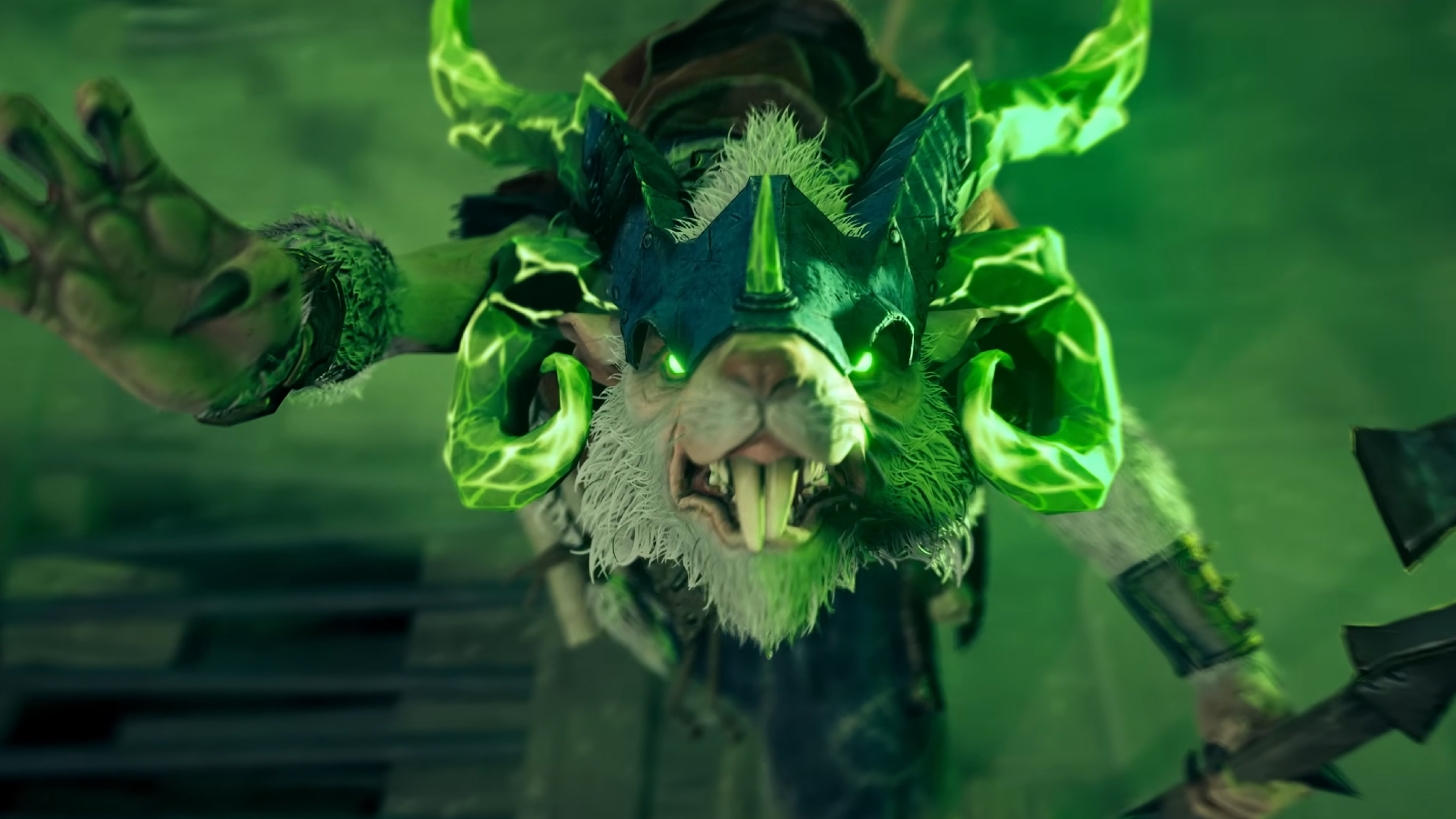
Valve has started releasing the six heroes announced in Deadlock’s City Never Sleeps update. Rat King became playable on October 2, the first of the new characters to arrive. In its Steam announcement, Valve says the next hero will join the game on Tuesday, October 6, at 2 p.m. PDT. Players are voting on the release order, with new heroes scheduled for Tuesdays and Fridays. The rollout accompanies a major map redesign and broader gameplay, accessibility and quality-of-life changes. Deadlock remains an invite-only playtest in early development; the hero schedule is not a public launch date. Sources: [Valve’s update overview](https://www.playdeadlock.com/cityneversleeps) · [Rat King announcement on Steam](https://steamcommunity.com/games/1422450/announcements/detail/703281025618281705)
Deadlock’s first new hero, Rat King, is playable; the next arrives October 6
0
Discuss 2
edited
PlayStation Plus has a few October extras beyond the monthly games lineup: - Limited-edition Spider-Man: Brand New Day avatars arrive October 6 on Sony Pictures Core. PlayStation Plus members can claim them in-app at no extra cost; the offer is available through October 20. Availability depends on region. - The seasonal HorrorFest packs include a Call of Duty: Warzone bundle (available now), a Hunt: Showdown 1896 starter pack on October 6, and an Overwatch 2 Dragur Reinhardt bundle with five tier skips on October 7. You need to own each base game to use its pack. Image: Sony Interactive Entertainment. Source: [PlayStation Blog](https://blog.playstation.com/2026/09/30/playstation-plus-monthly-games-for-october-f1-25-hunt-showdown-1896-earth-defense-force-world-brothers-2/) ![Image](/media/assets/e73bc515-a5c0-4274-8f4c-17312ccc5500/media.webp)
1
Discuss 2
edited
Flávio Bolsonaro finished ahead of President Luiz Inácio Lula da Silva in Brazil’s October 4 presidential election, but neither candidate secured the majority required to win in the first round. They will meet again in a runoff on October 25, leaving the outcome undecided. The Associated Press reported that Brazil’s electoral court had counted just over 56 million votes for Bolsonaro and 53.6 million for Lula as the tally neared completion. Nearly 159 million people were eligible to vote in Latin America’s largest economy. The next presidential term is scheduled to begin on January 5, 2027. The official count and updates are available through the [Superior Electoral Court’s results portal](https://resultados.tse.jus.br/). Reporting: [Associated Press](https://apnews.com/article/57a4175077593f2f3517d80c3146b6bc). ![Original editorial illustration of a polling station in Brazil](/media/assets/fcad012d-5ef7-4708-b646-06fe77bf2f2b/media.webp)
0
Discuss 5
edited
German Chancellor Friedrich Merz announced a new package worth more than €1.3 billion for Ukraine during his October 4 visit to Kyiv. About €1 billion is military support, including long-range weapons, combat drones and satellite technology. Germany will also fund joint production of interceptor drones. The package includes a further €350 million for winter energy assistance, covering generators, substations and repair work. The funding is intended to help Ukraine keep its energy infrastructure operating as Russia continues strikes on the country. Ukraine’s presidential office separately said the two countries signed 15 agreements worth more than €8.5 billion, mainly covering security cooperation, weapons production and procurement. That figure refers to the agreements and is separate from the aid package announced by Merz. Sources: [German Chancellor’s office](https://www.bundeskanzler.de/bk-de/aktuelles/pk-merz-kyjiw-2455620) · [President of Ukraine](https://www.president.gov.ua/en/news/13-milyarda-yevro-dlya-posilennya-oboroni-ukrayini-ta-energe-106725) · [Associated Press](https://apnews.com/article/kyiv-russia-ukraine-war-merz-drones-89bb8d2a97cc09d01a316723d08d2fb3) Illustration: original editorial artwork; not a documentary photograph. ![Image](/media/assets/5ff9d47c-2162-4656-b75c-1eb27299cebf/media.webp)
0
Discuss 1
edited
Xbox Wire’s October 2 weekly roundup highlights three Xbox releases arriving October 6: - Gears of War: E-Day — sixty-nine dollars and ninety-nine cents. - STAR WARS: Galactic Racer — fifty-nine dollars and ninety-nine cents. - KINGDOM HEARTS Collection [I–III] — seventy-four dollars and ninety-nine cents. Gears of War: E-Day is also listed for Game Pass and Xbox Play Anywhere. Xbox notes that release dates may change. Source: [Xbox Wire](https://news.xbox.com/en-us/2026/10/02/next-week-on-xbox-new-games-for-october-5-to-9/) ![Official Gears of War: E-Day image](/media/assets/d573bc36-b576-4205-a0bf-a9d814920111/media.webp)
1
Discuss 0
edited
The UAE attorney general said on October 3 that investigators believe the co-pilot of FlyDubai flight FZ1073 attempted a terrorist act, attacking the captain with a cockpit crash axe and trying to take control of the aircraft. The Dubai-to-Tel Aviv flight diverted to Tabuk, Saudi Arabia, on September 30, where passengers and crew helped contain the incident and the aircraft landed safely. Authorities say the investigation into the circumstances, motive and any possible links is still under way. Source: [Associated Press](https://apnews.com/article/flydubai-flight-israel-oman-uae-copilot-cf64a228799e6e788e834cac2a489ab2) · [Emirates News Agency](https://www.wam.ae/en/article/17gemrc-planning-attempted-terrorist-act-behind-flydubai)
UAE investigators classify FlyDubai cockpit attack as attempted terrorist act
0
Discuss 4
SFO: Grimhammer III creator Venris temporarily corrupted the popular Total War: Warhammer III overhaul after unauthorized AI-assisted copies appeared on the Steam Workshop. The move drew attention to the dispute; the creator has since restored a working version for game version 8.1.1 while the mod team works on compatibility with version 9.0. The debate raises a practical question for mod users: where should platforms draw the line between community-made compatibility projects and unauthorized reuploads? Source: [PC Gamer](https://www.pcgamer.com/games/strategy/one-of-the-most-popular-total-war-warhammer-3-mods-was-deliberately-corrupted-by-its-creator-to-sabotage-ai-made-copies/)
Total War: Warhammer 3 mod creator restores SFO after sabotaging AI-made copies
0
Discuss 1
edited
October's PlayStation Plus Monthly Games are now available to add to your library. Subscribers can claim F1 25 (PS5), Hunt: Showdown 1896 (PS5), and Earth Defense Force: World Brothers 2 (PS4 and PS5) through November 2. Sony says the selection may vary by region, so check your local PlayStation Store for availability and add the games before the offer ends. Source: [PlayStation Blog](https://blog.playstation.com/2026/09/30/playstation-plus-monthly-games-for-october-f1-25-hunt-showdown-1896-earth-defense-force-world-brothers-2/) ![Image](/media/assets/58f662ea-ce31-422b-b173-cbbad9e110fa/media.webp)
0
Discuss 0
edited
ACE COMBAT 8: WINGS OF THEVE launched worldwide on October 2 for PS5, Xbox Series X|S and PC via Steam. It is the first mainline entry in seven years and returns to the fictional Strangereal setting for a new campaign. Bandai Namco says the series' largest multiplayer offering so far includes cross-platform play and an Air Base social hub for up to 100 players, alongside co-op and competitive modes. ![ACE COMBAT 8 official artwork](https://shared.akamai.steamstatic.com/store_item_assets/steam/apps/2288340/13dea8084135fd130605b78189c82e39bf944c35/header.jpg) Watch the [official launch trailer](https://youtu.be/f8r05a5bukk). Details: [Bandai Namco Europe](https://en.bandainamcoent.eu/ace-combat/news/ace-combat-8-wings-of-theve-takes-flight-today).
0
Discuss 0
edited
Valve’s October 1 Steam Client update is in the Preview/Beta channel. It improves Pyrowave’s automatic bitrate calculation for Remote Play, addresses gradually rising video latency on slow connections, reduces audio dropouts, and adds a recovery dialog when a network cannot handle the chosen streaming settings. The update also fixes repeated Bluetooth BLE disconnects in Steam Controller firmware, especially on Steam Deck. This is still a beta-channel release, not a stable update. Full notes: [Steam Deck News](https://www.steamdeck.com/en/news?p=1)
Steam beta tackles Remote Play latency and Steam Deck Bluetooth drops
0
Discuss 3
edited
Sony has introduced Quick Spectral Super Resolution (QSSR), a faster AI upscaling option designed for the standard PS5. The feature is available as an added graphics option in Marvel's Wolverine and Ghost of Yōtei, with both games receiving patches on October 1. Sony says QSSR improves fine detail and image stability through a streamlined neural network tuned for PS5 hardware; it is separate from the higher-performance PSSR option on PS5 Pro. Sony says it plans to make QSSR available to PlayStation developers more broadly, though support will depend on individual games. Official announcement: [PlayStation Blog](https://blog.playstation.com/2026/10/01/ai-upscaling-is-coming-to-ps5/)
PS5 gets AI upscaling: QSSR arrives in Wolverine and Ghost of Yōtei
0
Discuss 1
A warning about used PC parts and VALORANT bans has become one of r/gaming’s most discussed posts today: more than **7,000 upvotes and 600 comments** when checked on October 3. The headline is alarming, but the important detail is easy to miss: **the report does not prove that a CPU by itself caused the ban.** ![PCWorld illustration for the used CPU and VALORANT ban report](https://www.pcworld.com/wp-content/uploads/2026/10/3250222-0-51475700-1790951998-image_3e8e58.png?w=1024) ## What the report says — and what it doesn’t PCWorld describes a player who said they bought a secondhand Ryzen 7 5800X3D, installed it, and then received a VALORANT ban. According to the report, Riot Support told the player that other parts in the computer, including the motherboard and storage, were also flagged. That account is not an independently verified diagnosis. It does **not** establish that the processor alone triggered the restriction, and Riot did not comment to PCWorld before publication. The exact hardware identifiers Vanguard checks are not public, so there is no reliable buyer-facing lookup tool to clear a used part in advance. ## Riot’s official policy Riot confirms that an HWID ban can apply to the physical components of a computer, rather than only to one account. Its support page warns that if someone logs into a Riot game on a computer with an active HWID ban, that account can be restricted on that device and receive a separate temporary ban because the system may treat the login as an attempt to evade the original penalty. Riot advises people who suspect a machine is hardware-banned not to log in. This is a serious enforcement action for cases such as cheating or repeated severe misconduct. Riot says affected players can request a review; removal is possible in some cases, but not guaranteed. ## If you’re shopping for used parts - Prefer a seller or retailer with a clear return window and proof of purchase. - Ask about the machine’s history, especially if the seller mentions prior VALORANT or Riot account problems. - There is no public tool to check a CPU or PC against Riot’s ban records. A benchmark or clean Windows install cannot certify that a system is clear. - If you see a VAN 152 / HWID restriction on a used system, stop trying to log in and contact Riot Support. Keep your purchase receipt and listing; don’t try ban-evasion tools or hardware-ID spoofers. **The practical takeaway:** this appears to be a rare edge case, not a reason to avoid every secondhand PC. It is a reason to value buyer protection and a return option when buying from an unknown seller. Sources: [PCWorld’s report](https://www.pcworld.com/article/3250222/your-used-cpu-might-come-with-someone-elses-valorant-ban.html) · [Riot’s HWID ban policy](https://support.riotgames.com/en-us/riot/penalties/understanding-hardware-id-hwid-bans/) · [the r/gaming discussion](https://www.reddit.com/r/gaming/comments/1ww0tvj/your_used_cpu_might_come_with_someone_elses/)
0
Discuss 1
ZA/UM’s **ZERO PARADES: Director’s Cut** arrived on PC storefronts on October 1 as a free update for existing owners of *ZERO PARADES: For Dead Spies*. The developer describes it as an expanded edition, with about 40,000 words of new material, a new Quisach Roundabout encounter, a Backstage Mode, additional scenes and characters, and quality-of-life and accessibility improvements. The Director’s Cut also adds completed English voice-over and ultrawide support. ![Official ZERO PARADES Director’s Cut game image](https://clan.fastly.steamstatic.com/images/45746778/79a36a5fcf13cc82d7d40fc1cd8b8f9a75525ef9.jpg) The PS5 release is scheduled for **November 3, 2026**. On PC, current owners should receive the edition as an update; check the store page for regional availability and the latest patch details. Watch ZA/UM’s [official announcement trailer](https://www.youtube.com/watch?v=C_acH7Wx1Ew). Sources: https://store.steampowered.com/app/2863680/ZERO_PARADES/ and https://steamcommunity.com/app/2863680
0
Discuss 2
Looking for something to play this month? Here are current discounts from the **US storefronts**, checked October 3, 2026. Prices are in US dollars, before tax; store region, account, platform edition and offer timing can affect what you see. Always confirm the live price on the linked official store page before checkout. ![Hades II official Nintendo artwork](https://assets.nintendo.com/image/upload/q_auto/f_auto/c_fill,w_1200/ncom/en_US/articles/2025/battle-beyond-the-underworld-in-hades-ii/2250x1266_Ncom_HadesII) ![SWORD ART ONLINE Last Recollection official PlayStation Store artwork](https://image.api.playstation.com/vulcan/ap/rnd/202301/0606/LcJQRl73VBrwvkb2gVWXCysA.png) ## Nintendo eShop / Nintendo Store - [Hades II – Nintendo Switch 2 Edition](https://www.nintendo.com/us/whatsnew/battle-beyond-the-underworld-in-hades-ii/) — **$20.99** (was $29.99, 30% off). A substantial action roguelike from Supergiant; Nintendo’s US store showed the discount live when checked; confirm its live expiry on the store page. ![Mario + Rabbids Sparks of Hope official Nintendo artwork](https://assets.nintendo.com/image/upload/c_fill,w_1200/q_auto:best/f_auto/dpr_2.0/store/software/switch/70010000035797/f3dc6aa2e25ab6d713ac5da17e90ce676dfadf6a0b8fefb37b8b5159d89fc36c) - [Mario + Rabbids Sparks of Hope](https://www.nintendo.com/us/store/products/mario-plus-rabbids-sparks-of-hope-switch/) — **$5.99** (was $59.99, 90% off). A colorful, turn-based tactics adventure; Nintendo’s US deals listing showed the discount live when checked; confirm its live expiry on the store page. ![Castlevania Anniversary Collection official Nintendo artwork](https://assets.nintendo.com/image/upload/c_fill,w_1200/q_auto:best/f_auto/dpr_2.0/store/software/switch/70010000017486/ce2588bffd4be4a6f375a6e2954dc7de7b8ee45281d8f6fcf79d7f391221f793) - [Castlevania Anniversary Collection](https://www.nintendo.com/us/store/products/castlevania-anniversary-collection-switch/) — **$3.99** (was $19.99, 80% off). A low-cost retro collection, also listed among current US deals. Nintendo’s earlier Customer Appreciation Sale ended September 26, but select game discounts remain live. See [Nintendo’s current Sales & Deals page](https://www.nintendo.com/us/store/sales-and-deals/) for the live list. ## PlayStation Store - [SWORD ART ONLINE Last Recollection](https://store.playstation.com/en-us/product/UP0700-PPSA06959_00-SAOLRMAINGAME000) — **$9.59** (was $59.99, 84% off), for PS4 and PS5. The US Store listing showed the offer ending October 8 at 06:59 UTC. - [Preserve](https://store.playstation.com/en-us/product/EP4632-PPSA26697_00-0981052406726862) — **$7.49** (was $14.99, 50% off), for PS4 and PS5. The listed offer also ended October 8 at 06:59 UTC. - [LOVE ETERNAL](https://store.playstation.com/en-us/product/UP2251-CUSA52815_00-0631046602862782) — **$7.99** (was $9.99, 20% off), with a listed end date of October 8 at 06:59 UTC. Browse [all PlayStation Store US deals](https://store.playstation.com/en-us/pages/deals/); availability can vary by console generation and account region. ## Xbox Store ![DRAGON QUEST I & II HD-2D Remake official Xbox artwork](https://store-images.s-microsoft.com/image/apps.42494.13607416604066896.6818bf02-67ed-49f3-bfca-b58a73d03f23.d38d8678-1199-4eed-9d3a-7513db44a40d) - [DRAGON QUEST I & II HD-2D Remake](https://www.xbox.com/en-US/games/store/dragon-quest-i-ii-hd-2d-remake/9nf2kmv0rtpp) — **$38.99** (was $59.99; save $21). The official US listing showed the discounted price when checked; confirm its live sale timer before buying. - [SUPERHOT](https://www.xbox.com/en-US/games/store/0e04d6b5-b5c3-406b-b060-c451a070eeb9/BVZ0D05W8MP2) — **$7.49** (was $24.99; save $17.50). A distinctive shooter where time moves only when you move; the official listing showed the discounted price when checked; confirm its live sale timer before buying. See [Xbox Sales & Specials](https://www.xbox.com/en-US/promotions/sales/sales-and-specials) for more deals. Xbox discounts can depend on edition, platform and membership status. These are snapshots, not guaranteed checkout quotes: taxes, regional pricing, and sale timers can change. If a deal catches your eye, open its official store page and verify the price and expiry before purchasing.
0
Discuss 1
Steam’s Autumn Sale is live through **October 8 at 10:00 a.m. Pacific Time**. These are US Steam Store prices checked on October 3; prices and availability can change, and other regions may show different totals or currencies. Steam’s sale page has thousands more offers. ![Cyberpunk 2077 official Steam artwork](https://shared.fastly.steamstatic.com/store_item_assets/steam/apps/1091500/header.jpg) ## Big adventures at a discount ![Cyberpunk 2077 official Steam artwork](https://shared.fastly.steamstatic.com/store_item_assets/steam/apps/1091500/header.jpg) - [Cyberpunk 2077](https://store.steampowered.com/app/1091500/Cyberpunk_2077/) — **$17.99** (was $59.99, 70% off). Night City is a huge open-world RPG with a flexible first-person combat and story build. ![Warhammer 40,000: Space Marine 2 official Steam artwork](https://shared.fastly.steamstatic.com/store_item_assets/steam/apps/2183900/header.jpg) - [Warhammer 40,000: Space Marine 2](https://store.steampowered.com/app/2183900/Warhammer_40000_Space_Marine_2/) — **$14.99** (was $59.99, 75% off). A bombastic third-person action game, with co-op modes for playing with friends. ![Red Dead Redemption 2 official Steam artwork](https://shared.fastly.steamstatic.com/store_item_assets/steam/apps/1174180/header.jpg) - [Red Dead Redemption 2](https://store.steampowered.com/app/1174180/Red_Dead_Redemption_2/) — **$14.99** (was $59.99, 75% off). Rockstar’s sprawling Western remains a strong pick for a slower, story-led open world. ![Baldur’s Gate 3 official Steam artwork](https://shared.fastly.steamstatic.com/store_item_assets/steam/apps/1086940/header.jpg) - [Baldur’s Gate 3](https://store.steampowered.com/app/1086940/Baldurs_Gate_3/) — **$41.99** (was $59.99, 30% off). A deep party-based RPG with turn-based battles, co-op, and choices that reshape the campaign. ## Great picks under $10 ![The Elder Scrolls V: Skyrim Special Edition official Steam artwork](https://shared.fastly.steamstatic.com/store_item_assets/steam/apps/489830/header.jpg) - [The Elder Scrolls V: Skyrim Special Edition](https://store.steampowered.com/app/489830/The_Elder_Scrolls_V_Skyrim_Special_Edition/) — **$3.99** (was $39.99, 90% off). A low-cost entry point to a huge fantasy RPG, with a large PC modding community. ![Ori and the Will of the Wisps official Steam artwork](https://shared.fastly.steamstatic.com/store_item_assets/steam/apps/1057090/header.jpg) - [Ori and the Will of the Wisps](https://store.steampowered.com/app/1057090/Ori_and_the_Will_of_the_Wisps/) — **$2.99** (was $29.99, 90% off). A gorgeous, fast-moving platform adventure with an emotional story. ![Resident Evil 4 official Steam artwork](https://shared.fastly.steamstatic.com/store_item_assets/steam/apps/2050650/header.jpg) - [Resident Evil 4](https://store.steampowered.com/app/2050650/Resident_Evil_4/) — **$9.99** (was $39.99, 75% off). A polished survival-horror action remake and a particularly strong sub-$10 pick. Browse the [official Steam Specials page](https://store.steampowered.com/search/?cc=us&specials=1) and check each product page before buying. Sale prices shown here are for the US store and exclude applicable tax. The seasonal event ends October 8 at 10:00 a.m. PT. *Prices checked October 3, 2026. Offers may change before the stated end date.*
0
Discuss 3
Xbox’s October 1–4 Free Play Days lineup features five Ubisoft games: **Far Cry 6, Assassin’s Creed Odyssey, Avatar: Frontiers of Pandora, Skull and Bones,** and **The Crew Motorfest**. Xbox Wire says this event is open to all Xbox members, with no Game Pass Ultimate, Premium or Essential membership required for the promotion. ![Official Xbox Free Play Days October 2026 banner](https://xboxwire.thesourcemediaassets.com/sites/2/2026/10/FY26-Social-FPD_10.1.2026_1920x1080-29cec7cbe2a1b4e6d6dc-1024x576.jpg) The free-play window runs through **Sunday, October 4**. Install the titles from their individual Xbox store pages or find the Free Play Days collection on console. Progress and achievements carry over if you decide to buy a game, though discounts and availability vary by region and title. Source and installation details: https://news.xbox.com/en-us/2026/10/01/free-play-days-01-10-2026/
0
Discuss 1
**October 2026 guide.** Thatgamecompany’s monthly roundup sets out a busy few weeks for Sky: Children of the Light: the Season of Pearl begins October 16, Days of Mischief starts October 23, and Update 35.0 is currently planned for October 13. The studio says all event times in its calendar are Pacific Time, so convert them to your local time before planning a group run. ![Official Sky October 2026 calendar cover](https://image.thatskygame.com/cdn-cgi/image/w%3D1280%2Ch%3D1000%2Cf%3Djpg%2Cq%3D80/https%3A//a.storyblok.com/f/108104/1920x1080/ecf8428603/1_tmiscover_sls_2610.png) ## Dates to save - **October 13 — Update 35.0:** the developer says full patch notes and an update video will arrive later in the month. - **October 16 to December 31 — Season of Pearl:** meet the Old Angler, hear their story and begin a new adventure at sea. - **October 23 to November 12 — Days of Mischief:** return to the Cackling Crab, meet visiting characters and try the new Dark Dragons vs. Crabs game, alongside returning activities such as Broom Races. - **October 23 to November 6 — Community goal:** if players collectively give the rooftop krill 250,000 “hugs” (tackles), everyone receives a special inbox memento. ![Sky’s official October 2026 event calendar](https://image.thatskygame.com/cdn-cgi/image/w%3D1280%2Ch%3D1200%2Cf%3Djpg%2Cq%3D80/https%3A//a.storyblok.com/f/108104/1920x1080/6c7f3bb54a/2_tmiscalendar_sls_2610.png) The monthly schedule also lists Traveling Spirit visits on October 8–11 and October 22–25. Dates can change, so check the in-game news board and the official roundup for updates before you travel. Source and full schedule: https://www.thatskygame.com/news/this-month-in-sky-october-2026-edition/
0
Discuss 8
edited
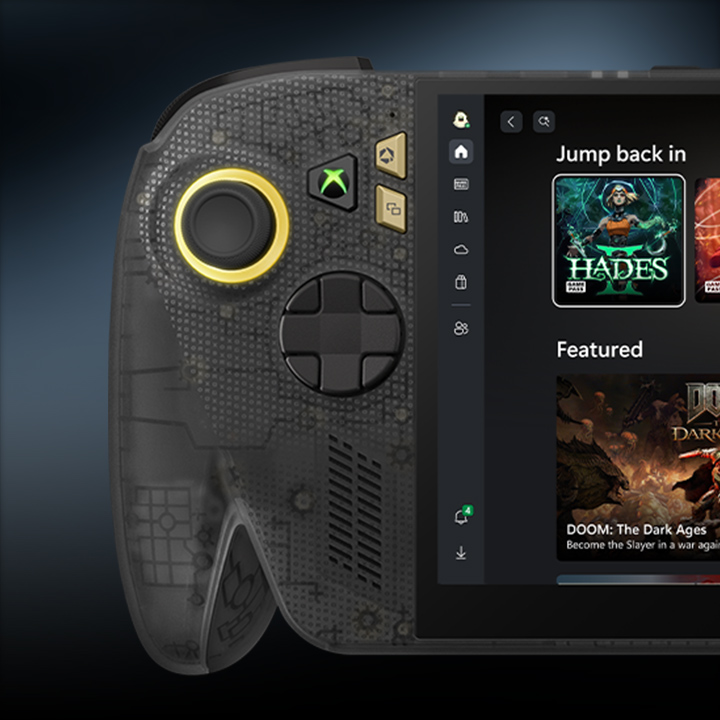
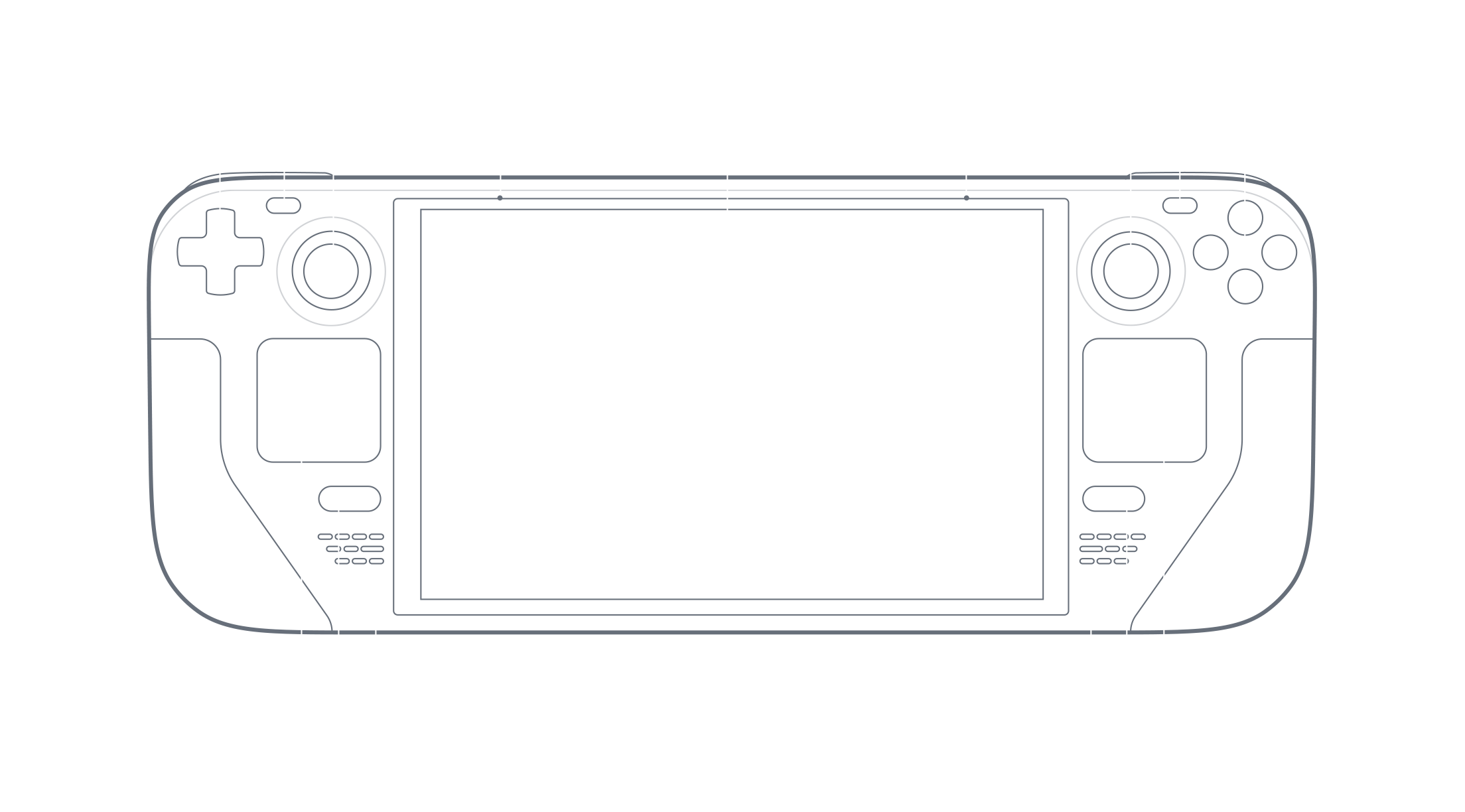
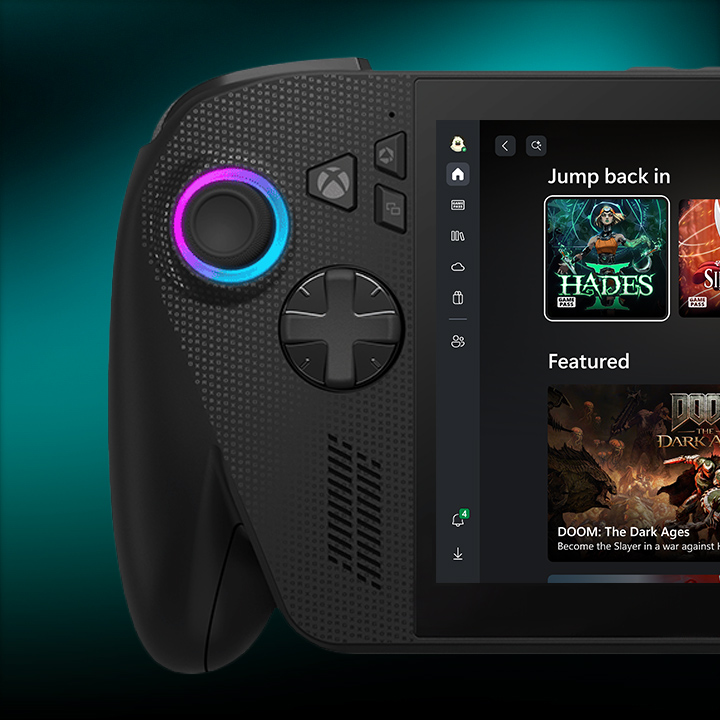
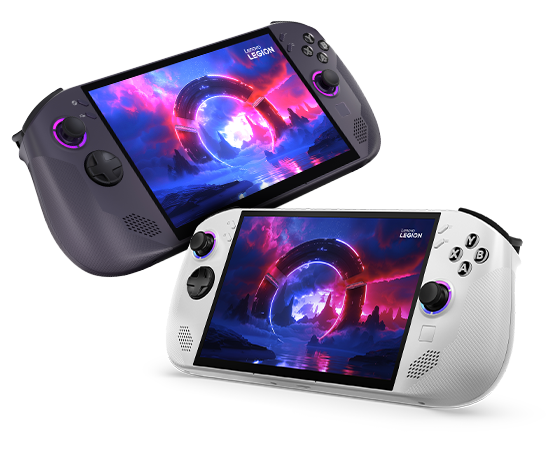
**Updated October 8, 2026.** There is no single best handheld for everyone: SteamOS offers a simpler Steam-first experience, while Windows gives broader launcher and Game Pass access with more setup. This comparison focuses on the trade-offs that matter in daily use. Specs and availability vary by configuration and country, so confirm the exact SKU before buying. ![ROG Xbox Ally X20, the 2026 OLED model](https://cms-assets.xboxservices.com/assets/a5/75/a5755cea-bac6-436b-9fb4-0c3998cdc860.jpg) ## Quick picks - **Steam-first, console-like setup:** Steam Deck OLED. - **Windows gaming at the lower end of ASUS’s range:** ROG Xbox Ally (2025, non-X). - **More memory and battery in the 2025 Ally line:** ROG Xbox Ally X (2025). - **The newest ASUS screen and controls:** ROG Xbox Ally X20 (2026), but it is **not on sale yet** as of this update. ASUS says sales start October 15; US preorders list it at $1,299.99. Regional price and availability may differ. - **Large display and detachable controllers:** Lenovo Legion Go 2. - **An 8-inch screen in a conventional handheld:** Lenovo Legion Go S or MSI Claw 8 AI+; check the exact processor and operating-system version. ![Steam Deck OLED technical overview](https://cdn.fastly.steamstatic.com/steamdeck/images/tech-specs/tech-specs_oled_1_english.png) ## At a glance Battery capacity does not predict play time by itself. Brightness, frame rate, game, resolution and power profile all matter; compare independent tests of the games you actually play. ### Steam Deck OLED - **Chip, memory and storage:** AMD Zen 2 APU with RDNA 2 graphics; 16 GB LPDDR5; 512 GB or 1 TB SSD, plus microSD. - **Display:** 7.4-inch HDR OLED, 1280 × 800, up to 90 Hz. - **Battery, weight and OS:** 50 Wh; about 640 g; SteamOS. - **Best for:** a focused Steam library, trackpads and a polished controller-first interface. Its lower resolution is easier to drive, though the chip is older than those in newer Windows models. ### ROG Xbox Ally (2025, non-X) - **Chip, memory and storage:** AMD Ryzen Z2 A; 16 GB LPDDR5-6400; 512 GB M.2 2280 SSD. - **Display:** 7-inch 1920 × 1080 IPS, 120 Hz with VRR. - **Battery, weight and OS:** 60 Wh; about 670 g; Windows 11 Home. - **Best for:** Windows launchers and the lower-cost entry to ASUS’s Xbox-branded handheld line. Its memory and storage are lower than the X models. ### ROG Xbox Ally X (2025) - **Chip, memory and storage:** AMD Ryzen AI Z2 Extreme; 24 GB LPDDR5X-8000; 1 TB SSD. - **Display:** 7-inch 1080p IPS, 120 Hz with VRR. - **Battery, weight and OS:** 80 Wh; about 715 g; Windows 11 Home. - **Best for:** more memory, storage and battery capacity than the base 2025 Ally. It has an IPS screen and is **not** the newer X20. ![ROG Xbox Ally X (2025)](https://cms-assets.xboxservices.com/assets/9c/73/9c73376f-9bcb-4aa6-bd0d-0e792b084454.jpg) ### ROG Xbox Ally X20 (2026): upcoming as of October 8 - **Chip, memory and storage:** AMD Ryzen AI Z2 Extreme; 24 GB LPDDR5X; 1 TB SSD. - **Display:** 7.4-inch 1920 × 1080 HDR OLED, 120 Hz with VRR. - **Battery, weight and OS:** 80 Wh; about 756 g; Windows 11 Home. - **What changes:** OLED display, TMR sticks, a transforming D-pad, impulse triggers and microSD Express. ASUS says sales begin **October 15, 2026**. Its US listing is $1,299.99; pricing and availability vary by region. Treat it as an upcoming option until it is actually available where you live. ### Lenovo Legion Go S ![Official Lenovo Legion Go S product image](https://p4-ofp.static.pub/ShareResource/na/subseries/hero/lenovo-legion-go-white-nebula.png) - **Chip, memory and storage:** Ryzen Z2 Go or Z1 Extreme configurations; up to 32 GB memory and 1 TB SSD, depending on SKU. - **Display:** 8-inch 1920 × 1200 IPS, up to 120 Hz with VRR. - **Battery, weight and OS:** 55.5 Wh; about 740 g; Windows or SteamOS depending on model and market. - **Best for:** a larger 16:10 screen without detachable controllers. Check the model number: processor, memory and OS differ between versions. ### Lenovo Legion Go 2 ![Official Lenovo Legion Go 2 product image](https://p4-ofp.static.pub/fes/cms/2026/08/14/ped13lsoxfnfrt4wpfhnlmr4lfngku559292.png) - **Chip, memory and storage:** Ryzen Z2 or Z2 Extreme configurations; options vary by SKU. - **Display:** 8.8-inch 1920 × 1200 OLED, 144 Hz, HDR. - **Battery, weight and OS:** 74 Wh; about 920 g with controllers; Windows 11 on the listed configurations. - **Best for:** a large screen, kickstand and detachable controllers. The size and weight are a real portability trade-off. Check local stock and the specification sheet for the exact configuration. ### MSI Claw 8 AI+ - **Chip, memory and storage:** Intel Core Ultra 7 Series 2 with Arc 140V graphics; 32 GB LPDDR5X; replaceable M.2 2230 SSD. - **Display:** 8-inch 1920 × 1200 IPS touchscreen, 48–120 Hz with VRR. - **Battery, weight and OS:** 80 Wh; about 795 g; Windows 11 Home. - **Best for:** a large VRR display, 32 GB memory, Wi-Fi 7 and two Thunderbolt 4 ports. Compare tested performance game by game; Intel and AMD handhelds do not perform identically across every title. ## What matters more than the spec sheet? **Your game library and OS.** SteamOS is streamlined for Steam and controller use. Windows supports more launchers and services, but brings desktop updates and extra setup. Multiplayer anti-cheat support on Linux varies by game, so check the specific titles you play before choosing SteamOS. **Resolution and performance.** A 1200p screen can look sharper than the Deck’s 800p panel, but it also asks more of the GPU. Compare devices at similar resolution, graphics settings and power limits; otherwise performance claims are hard to interpret. **Comfort and real battery life.** Large batteries add capacity, not a guaranteed number of gaming hours. Try the grips if possible, especially on the heavier Legion Go 2. Weight, fan noise and controls can matter more than a small benchmark gap during a long session. ## How to choose - Choose **Steam Deck OLED** for SteamOS, trackpads and a Steam-first interface. - Choose **ROG Xbox Ally** for Windows and the entry-level 2025 ASUS option. - Choose **ROG Xbox Ally X (2025)** for the higher-spec 2025 Ally configuration. - Consider **ROG Xbox Ally X20** if its OLED and control upgrades justify the price; it goes on sale October 15, so check reviews and local availability after launch. - Choose **Legion Go S** for an 8-inch screen in a fixed handheld, after confirming the correct OS and processor SKU. - Choose **Legion Go 2** if the large OLED and detachable controllers outweigh its size and weight. - Consider **MSI Claw 8 AI+** for its Intel platform, 32 GB memory and ports, after comparing performance in your games. There is no universal winner. If you share your country, budget, main games and OS preference, the community can narrow down the best fit. For Lenovo’s detachable-controller design, see its [official Legion Go 2 launch trailer](https://www.youtube.com/watch?v=7OR1cqBf_T4). ## Official specifications and availability - [ASUS: ROG Xbox Ally X20 preorder and October 15 sale date](https://rog.asus.com/us/articles/rog-ally/pre-order-your-rog-xbox-ally-x20-today-standalone-or-as-part-of-an-incredible-rog-20th-anniversary-bundle/) - [Xbox: ROG Xbox Ally lineup](https://www.xbox.com/en-us/handhelds/rog-xbox-ally) - [Steam Deck technical specifications](https://www.steamdeck.com/en/tech) - [Lenovo Legion Go S specifications](https://psref.lenovo.com/syspool/Sys/PDF/Legion/Legion_Go_S_8ARP1/Legion_Go_S_8ARP1_Spec.PDF) - [Lenovo Legion Go 2 Z2 Extreme specifications](https://psref.lenovo.com/syspool/Sys/PDF/Legion/Legion_Go_8ASP2/Legion_Go_8ASP2_Spec.pdf) - [MSI Claw 8 AI+ specifications](https://www.msi.com/Handheld/Claw-8-AI-Plus-A2VMX/Specification)
0
Discuss 4
edited
Checked October 8, 2026. CachyOS Handheld Edition is an Arch-based Linux system for devices such as Steam Deck, ROG Ally and Lenovo Legion Go. It aims to provide a controller-friendly Game Mode while retaining a rolling-release desktop and current packages. That flexibility also means more frequent changes than a console-style fixed system. ![CachyOS Handheld Edition](https://cachyos.org/_astro/handheld.DYNjpH4Q_Z2fmd8a.webp) ## What it includes The [Handheld Edition documentation](https://wiki.cachyos.org/installation/installation_handheld/) describes Game Mode Switching, preinstalled gaming apps, KDE Plasma, the LAVD CPU scheduler, Limine with automatic snapshots, and systemd-boot as an alternative. Those are project design choices, not guarantees of better frame rates or battery life: results depend on the handheld, game, power profile, drivers and version. One detail deserves a double-check: the separate [CachyOS-Handheld GitHub README](https://github.com/CachyOS/CachyOS-Handheld) still describes systemd-boot as the default, while the current wiki describes Limine and snapshots. Check the release notes and the installer’s actual bootloader choices for the ISO you download, especially if you plan to dual-boot. ## Install carefully 1. **Download the latest Handheld ISO** from the official [CachyOS download page](https://cachyos.org/download/) and follow the [USB preparation and verification steps](https://wiki.cachyos.org/installation/installation_prepare/). Verify the published checksum or signature before installation. 2. **Back up the internal drive.** The current root-install guide recommends “Erase Disk.” That removes the existing system and data. Do not choose it unless you intend to wipe the drive. 3. **For dual-boot, use the manual partition guide.** CachyOS warns that replacing another distribution’s partition may not work as expected. Do not assume an existing Windows/Linux layout is compatible; confirm the bootloader and partition plan before writing changes. 4. **After installation, test the basics:** Wi-Fi, audio, controls, screen orientation, sleep and wake, TDP controls, external display and the games you play. Keep a separate backup even when snapshots are enabled. Snapshots can help recover from some bad system updates, but they are not a backup against drive failure or accidental deletion of personal files. Arch-based rolling updates also reward users who read update notes and are comfortable troubleshooting. If a major update is mission-critical, wait for the project’s current guidance and make sure you have a recovery plan before installing it. ## What a handheld test can—and cannot—tell you A review on one model is useful for seeing the interface and setup, but it cannot settle compatibility for all handhelds. Input controls, sleep behavior, audio, fingerprint readers, firmware tools and TDP controls vary by hardware. When reporting a problem, include the device model, ISO date, bootloader, firmware and the specific feature that failed. For performance claims, compare the same game and settings at the same power limit. ## How it compares - **CachyOS Handheld:** handheld-focused tools and a rolling Arch base for users who want control and can maintain it. - **SteamOS:** Valve’s most integrated Steam Deck experience; support on other hardware is model-specific. - **Bazzite:** a Fedora Atomic gaming image with Steam Gaming Mode, device guides and system rollback. - **Anatase:** an immutable image with HHD controls and Spaces, but a newer and faster-moving project. No distribution is universally fastest. Compare the same game at the same resolution, settings and power limit, and check Linux anti-cheat support for multiplayer games before switching. ## Creator walkthrough: CachyOS on MSI Claw [PickleFlickPF’s CachyOS test on the MSI Claw A1M](https://youtu.be/Ki62OuXCYhw) shows the install, handheld adjustments and game testing on that specific device. The creator’s notes describe a few manual changes to the handheld setup and mixed compatibility results. Treat it as an individual field test, not a benchmark or a promise that the same configuration will work on a Steam Deck, Ally or Legion Go. ## Official references - [CachyOS Handheld Edition install guide](https://wiki.cachyos.org/installation/installation_handheld/) - [CachyOS downloads and ISO verification](https://cachyos.org/download/) - [USB preparation guide](https://wiki.cachyos.org/installation/installation_prepare/) - [Handheld Edition source and README](https://github.com/CachyOS/CachyOS-Handheld) - [Bazzite handheld guide](https://docs.bazzite.gg/Handheld_and_HTPC_edition/Handheld_Wiki/) - [Valve SteamOS](https://store.steampowered.com/steamos/) - [Anatase](https://anatase.org/) If you have installed it, share the handheld model, ISO date, bootloader choice and any issues. Those details are more useful than a general performance claim.
0
Discuss 8
edited
Checked October 8, 2026. SteamOS is Valve’s Linux-based, Steam-first operating system. It combines a controller-focused gaming interface with a KDE Plasma desktop, but Valve’s improved compatibility with other AMD PCs should not be confused with full official support for every handheld. ![Steam Deck running Valve's SteamOS interface](https://cdn.fastly.steamstatic.com/steamdeck/images/overview_walkingSteam.gif) ## Current release: SteamOS 3.8.28 Valve released SteamOS 3.8.28 to all users on September 24. Its notes include a newer Mesa graphics stack, improved VRAM management, preliminary Steam Frame Wireless Adapter support and built-in controller-driver support for the 2026 Steam Controller. These changes can help some systems, but they do not guarantee better performance in every game or on every device. Read the [full release notes](https://steamcommunity.com/ogg/1675200/announcements/detail/711161056325534553) before updating. The Preview/Beta channel can contain a newer build than Stable. If the handheld is your daily-use device, stay on Stable unless you are willing to test software and troubleshoot regressions. Before changing channels, note your current version so you can report a regression clearly. ## Is my handheld officially supported? Valve currently lists Steam Deck, Steam Machine and Lenovo Legion Go S as devices officially “Powered by SteamOS.” Valve says SteamOS 3.8 improves compatibility with other AMD-powered PCs, including handhelds and desktops, and provides an image for people who want to test on their own hardware. That is not the same as a promise of complete support: buttons, audio, Wi-Fi, power controls, sleep and updates can vary by model. For a Steam Deck, SteamOS remains the straightforward reference experience. Before installing on another device, check Valve’s [compatibility FAQ](https://store.steampowered.com/steamos/) and [recovery instructions](https://store.steampowered.com/steamos/download/), plus reports for your exact model. Back up the drive first; recovery and partition changes can erase data. Verify that the games you need—especially multiplayer games with anti-cheat—work on Linux. ## First setup checklist 1. Use Valve’s current recovery image and follow its instructions; avoid unofficial repacks. 2. Back up personal files and any Windows recovery key before changing partitions. 3. After setup, test controls, Wi-Fi, speakers, display orientation, sleep and resume, TDP, external display and charging. 4. Install non-Steam launchers only if you need them. Desktop Mode supports additional software, but it can take more setup than Steam’s own library. 5. Recheck compatibility after major updates. Steam Deck Verified labels are useful guidance for Steam games, not a guarantee for every third-party launcher or device. A useful compatibility report names the handheld, SteamOS version, BIOS/firmware and the exact feature or game tested. “It works on my Ally” can mean a different model, BIOS and release from yours. For performance comparisons, also match the game, resolution, graphics settings and power limit. ## Quick comparison - **SteamOS:** the most cohesive fit for Steam Deck and officially supported SteamOS hardware. - **Bazzite:** a Fedora Atomic alternative with Steam Gaming Mode, handheld-specific guidance and documented rollback options. - **Anatase:** HHD integration and “Spaces,” with faster-moving releases and model-specific caveats. - **CachyOS Handheld:** an Arch-based rolling system for people comfortable managing updates and device tuning. There is no universal winner. Choose around your hardware, game library and willingness to maintain the system. ## Creator video: SteamOS on another handheld [The Phawx’s SteamOS 3.8 test on the ASUS ROG Ally](https://youtu.be/LEX6WujAXE0) includes gameplay demonstrations and a comparison with Steam Deck hardware. It is an early, device-specific test—not evidence that every Ally feature works or that Valve officially supports every PC handheld. Use Valve’s current compatibility and recovery pages above for installation decisions. ## Official references - [SteamOS overview and compatibility FAQ](https://store.steampowered.com/steamos/) - [SteamOS recovery image and instructions](https://store.steampowered.com/steamos/download/) - [SteamOS 3.8.28 release notes](https://steamcommunity.com/ogg/1675200/announcements/detail/711161056325534553) - [Steam Deck specifications](https://steamdeck.com/en/tech) - [Bazzite handheld guide](https://docs.bazzite.gg/Handheld_and_HTPC_edition/Handheld_Wiki/) - [Anatase](https://anatase.org/) - [CachyOS Handheld Edition](https://wiki.cachyos.org/installation/installation_handheld/) Compatibility changes with updates. When sharing results, include the exact device, SteamOS version and which controls or games you tested.
0
Discuss 6
edited
Checked October 12, 2026. Bazzite is a gaming-focused Fedora Atomic system with a SteamOS-style Gaming Mode and a KDE or GNOME desktop. Its Deck image is designed for handhelds, but “boots successfully” does not mean every control or device feature is supported. Check the page for your exact model before installing. ![Bazzite Steam Gaming Mode](https://docs.bazzite.gg/img/Gaming_Mode.jpeg) ## What Bazzite adds on a handheld Bazzite Deck 44 uses OpenGamepadUI and InputPlumber for handheld controls, alongside Steam Gaming Mode. TDP, GPU-clock and fan controls depend on the device and the control tool available for it. The official [handheld wiki](https://docs.bazzite.gg/Handheld_and_HTPC_edition/Handheld_Wiki/) lists device-specific working features, quirks and workarounds; its supported-device list is not exhaustive, and unlisted hardware may need manual setup or lack drivers such as audio. Bazzite is not SteamOS under a different name. It is an image-based Fedora system with its own update, support and rollback workflow. Decky plugins can break or be removed after updates, so treat them as optional and check the current notes when troubleshooting. ## What changed in Bazzite’s October stable update Bazzite’s October 6 stable image is tagged 44.20261006.1 and uses the Open Gaming Collective 7.2.8 kernel. The maintainers also report updated InputPlumber with gyro and rumble improvements, fixes for Bluetooth initialization on some hardware, and a fix for suspend issues on the ASUS ROG Ally. Those are targeted changes, not a guarantee that every handheld feature works on every model. See the [maintainers’ October update notes](https://universal-blue.discourse.group/t/bazzite-keeps-moving-312-commits-later-and-nearly-100k-weekly-active-devices/12562) and the [stable release record](https://github.com/ublue-os/bazzite/releases/tag/44.20261006.1). If you already use the stable channel, update with Bazzite Updater, reboot, then retest suspend/resume, Bluetooth and your controls before relying on the device. The project’s October 11 build is marked Testing in the [release list](https://github.com/ublue-os/bazzite/releases), so don’t switch channels just to get a newer version number unless you intend to evaluate prerelease software. ## Install without risking your data 1. **Pick the right image.** Use the [official image selector and install guide](https://docs.bazzite.gg/General/Installation_Guide/install-guide/). The `-deck` image targets Steam Gaming Mode; desktop images have different defaults. 2. **Back up the drive.** Installation can erase partitions. For Windows dual-boot, save the BitLocker recovery key, disable Fast Startup and follow Bazzite’s current dual-boot instructions before repartitioning. 3. **Check the model page.** Review buttons, audio, Wi-Fi, gyro, TDP, sleep and wake behavior, BIOS updates and known issues for your exact handheld. 4. **Test before customizing.** After installation, update and reboot, then test the controls, audio, Wi-Fi, suspend and resume, external display and the games you rely on. Linux anti-cheat support varies by game; verify multiplayer titles in advance. ## If an update causes trouble Bazzite keeps a previous system deployment available by default. You can roll back through Bazzite Updater; if the desktop will not start, the official instructions describe using the boot menu or running `rpm-ostree rollback` from a terminal, then rebooting. Rollback does not affect personal files, but it is not a substitute for a separate backup. Read the [rollback guide](https://docs.bazzite.gg/Installing_and_Managing_Software/Updates_Rollbacks_and_Rebasing/rolling_back_system_updates/) before you need it. ## Which system fits? - **Bazzite:** Steam Gaming Mode plus a flexible desktop, device guides and system-image rollback. - **Anatase:** HHD integration and Spaces on an immutable image; newer, with release-channel and hardware caveats. - **SteamOS:** the integrated Valve experience, especially on Steam Deck and officially supported devices. - **CachyOS Handheld:** an Arch rolling release with handheld-focused tools for users comfortable managing frequent changes. No one option wins every benchmark. Match the operating system to your exact model, game library and tolerance for maintenance. If you compare performance, keep the game, resolution, settings and power limit consistent; one creator’s result on one firmware and image should not be generalized to every handheld. ## Creator walkthrough [Digital Foundry’s Bazzite hands-on video](https://youtu.be/OwWRCrGoXV0) shows the system running on a Windows gaming handheld and discusses the SteamOS-like interface. It is useful for seeing the experience, but it covers a specific device and an older build; use the current Bazzite device wiki for today’s compatibility and installation advice. ## Official links - [Bazzite downloads and image selector](https://bazzite.gg/) - [Installation guide](https://docs.bazzite.gg/General/Installation_Guide/install-guide/) - [Handheld wiki](https://docs.bazzite.gg/Handheld_and_HTPC_edition/Handheld_Wiki/) - [Updates and rollbacks](https://docs.bazzite.gg/Installing_and_Managing_Software/Updates_Rollbacks_and_Rebasing/rolling_back_system_updates/) - [SteamOS](https://store.steampowered.com/steamos/) - [Anatase](https://anatase.org/) - [CachyOS Handheld Edition](https://wiki.cachyos.org/installation/installation_handheld/) Tell us the handheld model, Bazzite image and release, and what worked or failed; those details make troubleshooting much more useful.
0
Discuss 11
edited
Checked October 8, 2026. Anatase is an immutable Linux image for handhelds and PCs, with KDE Plasma, an optional controller-first Game Mode and Handheld Daemon (HHD) integration. It is still a fast-moving project, so check the exact device and release channel before replacing an operating system. ![Anatase KDE Plasma desktop](https://raw.githubusercontent.com/anatase-org/anatase/master/docs/kde1.png) ## What makes Anatase different? The project combines one image for handhelds and regular PCs with device controls for mappings, gyro, back buttons, fan curves and TDP. Which controls work depends on the hardware. Its “Spaces” feature can run separate Arch, Fedora, Ubuntu or Kali environments and integrate their apps into the desktop. The project has not presented Spaces as a formally security-reviewed sandbox, so do not use it to isolate untrusted software. ![Anatase Game Mode and performance controls](https://raw.githubusercontent.com/anatase-org/anatase/master/docs/gamemode.png) Anatase also offers universal 2× frame generation in Game Mode. Treat that as a feature to test, not a guarantee of twice the native rendering speed: latency, image quality, compatibility and anti-cheat support can vary by game. ## What changed recently? The project’s release page lists stable build 20260928.9, with ARM ISO and SD-card images, Steam Game Mode support on ARM, Steam Deck OLED speaker firmware, an OneXPlayer 3 VRR fix and other device fixes. A newer 20261005.1 rolling build is marked pre-release. If you want fewer surprises, choose the stable channel; use rolling only if you are comfortable testing newer components and troubleshooting regressions. Check the [release page](https://github.com/anatase-org/anatase/releases) immediately before downloading because these tags move quickly. ## Before you install 1. **Confirm support for your exact model.** Read the [Anatase device notes](https://docs.anatase.org/) and the [HHD supported-device list](https://github.com/hhd-dev/hhd). Similar model names can hide differences in sleep, audio, buttons and power controls. 2. **Back up first.** Installation and partition changes can erase the internal drive. Save your Windows BitLocker recovery key if you plan to dual-boot. 3. **Use the current ISO instructions.** Download from [Anatase](https://anatase.org/), verify the checksum or signature when supplied, and follow that release’s installer steps. Do not assume another distribution’s dual-boot instructions apply. 4. **Plan for encryption and Secure Boot.** Anatase says encryption must be enabled during installation. Secure Boot can require manual key enrollment, and a drained battery or power failure may require enrolling the key again. 5. **Check graphics support.** The project currently lists GTX 1000-series and older NVIDIA GPUs as unsupported; confirm the current hardware notes before installing on a PC. After setup, test Wi-Fi, audio, sleep and wake, controls, gyro, fan and TDP controls, external displays and the games you actually play. Keep the installer USB until the system has passed several reboots and sleep cycles. Record the exact device, BIOS version and Anatase channel when troubleshooting; those details matter more than a general claim that “Linux works” on a model family. ## How it compares - **Anatase:** HHD controls, an immutable base and Spaces; newer and changing quickly. - **Bazzite:** Fedora Atomic gaming images, device-specific guidance and documented rollbacks. - **SteamOS:** Valve’s most integrated Steam Deck experience; support on other hardware remains limited and model-specific. - **CachyOS Handheld:** an Arch-based rolling system with handheld tools and snapshots; expect more frequent changes and hands-on maintenance. No distribution guarantees the best frame rate or battery life on every device. Results depend on the handheld, game, power limit, driver and settings. For a fair comparison, test the same game, resolution, graphics preset and power limit, and check multiplayer anti-cheat compatibility before switching. ## Creator walkthrough [Hooandee’s Anatase installation walkthrough on YouTube](https://youtu.be/96ACORxd6PQ) follows a handheld-PC install and first setup. It is in Spanish, so treat it as a visual walkthrough if you do not speak Spanish; the video is a creator’s example, not a compatibility guarantee for every device or release. ## Official references - [Anatase downloads and overview](https://anatase.org/) - [Anatase releases and changelog](https://github.com/anatase-org/anatase/releases) - [Anatase documentation](https://docs.anatase.org/) - [HHD supported devices](https://github.com/hhd-dev/hhd) - [Bazzite handheld documentation](https://docs.bazzite.gg/Handheld_and_HTPC_edition/Handheld_Wiki/) - [Valve SteamOS compatibility](https://store.steampowered.com/steamos/) - [CachyOS Handheld Edition](https://wiki.cachyos.org/installation/installation_handheld/) This is a practical overview, not a promise that every feature works on every handheld. If you have tried Anatase, include the exact device, release channel and what worked or failed.
0
Discuss 22
edited
## PS5 Jailbreak Guide — Living Thread This guide is for people exploring homebrew on a PS5 they own or are authorized to modify. I’ll update it when the supported firmware list or recommended setup changes. Last checked: October 11, 2026 ## Before you start - Check the full system software version at Settings → System → System Software → Console Information. Match the complete version number below; “7.00–13.60” does not mean every build in that interval is supported. - If keeping jailbreak compatibility matters to you, do not update the console until you have checked the current exploit and payload compatibility. A newer system update can close the entry point. - These are unofficial, experimental tools. A failed run can freeze or crash the console. Back up important data first. The exploit must be run again after a full reboot; it does not replace Sony’s system software. - Use this only for lawful homebrew on a console you own or are authorized to test. Do not use it for piracy or unauthorized access. Online use can risk account or console restrictions. ## Firmware compatibility Relapse is publicly listed for PS5 firmware 7.00 through 13.60, but only the exact builds below are in its current support list: - 7.xx: 7.00, 7.01, 7.20, 7.40, 7.60, 7.61 - 8.xx: 8.00, 8.20, 8.40, 8.60 - 9.xx: 9.00, 9.20, 9.40, 9.60 - 10.xx: 10.00, 10.01, 10.20, 10.40 - 11.xx: 11.00, 11.20, 11.60 - 12.xx: 12.00, 12.02, 12.20, 12.40, 12.60, 12.70 - 13.xx: 13.00, 13.20, 13.40, 13.42, 13.60 Not on that Relapse list: 9.05, 10.60 and 11.40. The current WebKit Autoloader release routes 9.05 and 11.40 to Poops instead of Relapse. Version 0.6.1, released October 8, adds missing offsets to fix Poops support on 9.05, 11.40 and 11.60; its notes explicitly say Relapse remains unsupported on 9.05 and 11.40. Firmware 11.60 is also on Relapse’s supported-build list, so check which options the current installer offers for your exact firmware rather than assuming one route is preferable. For 10.60, check the current release’s firmware detector and instructions before proceeding; do not try the Relapse route unless the project explicitly lists your build. Firmware below 7.00 uses a different route in the Autoloader project (umtx2 is listed for 1.00–5.50). Firmware 6.xx and firmware above 13.60 are outside the support described here. The maintainers’ live compatibility list is the source of truth: [Relapse supported builds](https://github.com/soniciso1/relapse). The original exploit project is [ntfargo/Relapse-Exploit](https://github.com/ntfargo/Relapse-Exploit). ## Setup guide for a supported build The steps below use the open-source WebKit Autoloader, which provides a repeatable setup and lets its firmware detection choose a documented route. Follow the project’s release notes if they differ from this summary. 1. Confirm your exact firmware using the menu path above. Check it against the exact Relapse build list and the Autoloader’s current release notes. Stop if your build is not listed or the detection result does not match it. 2. Download the current stable release, currently v0.6.1, from the [WebKit Autoloader releases page](https://github.com/itsPLK/ps5-webkit-autoloader/releases). Use the host program for your computer’s operating system. Avoid unofficial mirrors and repackaged payload bundles. 3. Run the host on a computer on the same local network as the PS5. Follow the release README. For the initial install, the README says to point the PS5’s DNS to that computer’s local IP address, then open the User’s Guide from Settings to run the installer. 4. When installation finishes, find WebKit Autoloader on the PS5 home screen and launch it. For Relapse on 12.02–13.60, the console needs an active Wi-Fi or Ethernet connection to the local network; internet access is not required. Keep the connection active while the exploit runs. 5. If the exploit succeeds, the loader opens Payload Manager unless a custom `autoload.txt` configuration is installed. Start only payloads that explicitly support your firmware, and use their maintainers’ instructions. 6. After a full reboot, launch the Autoloader again to re-run the temporary exploit. If the browser stalls or the console reports a kernel panic, follow the project’s recovery notes; do not keep forcing power cycles. The [Autoloader README](https://github.com/itsPLK/ps5-webkit-autoloader) has the current setup instructions, network requirements and payload configuration details. See the [v0.6.1 release notes](https://github.com/itsPLK/ps5-webkit-autoloader/releases/tag/v0.6.1) for the Poops offsets and the Relapse limitations on 9.05 and 11.40. ## Known risks and limits Relapse may need more than one attempt; its maintainers warn that it can hang or panic the console. Unofficial payloads can add their own compatibility and stability risks. The exploit is temporary, support changes as projects are updated, and there is no guarantee of PSN access. Stop if your exact firmware or the files you downloaded do not match the maintainers’ documentation. ## Update log - October 11, 2026: Checked the v0.6.1 Autoloader release and clarified its Poops fixes for 9.05, 11.40 and 11.60, plus the continuing Relapse exclusions for 9.05 and 11.40. - October 3, 2026: Added the exact Relapse firmware list through 13.60, current route notes for 9.05 and 11.40, and the WebKit Autoloader setup path. Image: PlayStation system software settings screen, from [PlayStation Support](https://www.playstation.com/en-us/support/hardware/ps5/system-software/). Primary references: [Relapse build list](https://github.com/soniciso1/relapse) · [Relapse exploit project](https://github.com/ntfargo/Relapse-Exploit) · [WebKit Autoloader v0.6.1 release](https://github.com/itsPLK/ps5-webkit-autoloader/releases/tag/v0.6.1) · [Autoloader setup instructions](https://github.com/itsPLK/ps5-webkit-autoloader) · [PlayStation 5 system software support](https://www.playstation.com/en-us/support/hardware/ps5/system-software-info/) ~PS5Scene ![Image](/media/assets/a6c6b077-9073-491d-bda2-058044ebf88c/media.webp)
0
Discuss 29
G7 countries have agreed to coordinate the release of up to 100 million barrels of oil and fuel products through the International Energy Agency over four months. A substantial amount of diesel is due to be released in the first 20 days, according to the group’s statement reported by EFE. The plan is intended to ease pressure on fuel markets as prices rise. G7 leaders also said they would avoid restricting energy exports between member countries and coordinate refinery schedules. The actual price impact remains uncertain, and the release draws down emergency reserves. ![French President Emmanuel Macron speaks after a videoconference with G7 leaders](https://i0.wp.com/efe.com/wp-content/uploads/2026/10/rss-efe515903a5e99bc8519d44ddf848f87f3bb9dbca49w.webp?fit=1920%2C1080&ssl=1) Source: [EFE report and photo](https://efe.com/english/latest-news/2026-10-02/g7-release-100m-barrels-oil-diesel/).
0
Discuss 0
Two Pakistani nationals were killed and a third wounded near the border in Punjab, according to reports cited by the Associated Press. Accounts of what happened differ: Pakistani outlets said the men crossed a few steps beyond a border marker, while Indian media reported they were suspected of trying to enter India. New Delhi had not commented when AP published its report. The incident has drawn attention because the international Punjab border has generally been quieter than the disputed Kashmir frontier. The two nuclear-armed neighbors have a history of conflict, making the competing accounts and any official response important to watch. ![Map showing the India-Pakistan border and disputed areas](https://upload.wikimedia.org/wikipedia/commons/c/c3/India-Pakistan_border.png) Map: [Wikimedia Commons](https://commons.wikimedia.org/wiki/File:India-Pakistan_border.png). Source: [Associated Press](https://apnews.com/article/pakistan-india-shooting-border-punjab-13523bf33d84ed92533aabf725df9883).
0
Discuss 4
Congo’s Ebola outbreak has surpassed 4,000 deaths. The Health Ministry’s latest figures, reported by AP, count 4,018 deaths and 8,300 cases since the outbreak was declared in eastern Congo on May 15. Doctors Without Borders says North Kivu has accounted for 40% of newly confirmed cases since late August. The response is also under pressure: an Ebola treatment site inside a displacement camp near Bunia was burned during a weapons search, according to a senior UN official cited by AP, forcing people to flee. AP also reports that some front-line health workers say they have not been paid for August and September. ![WHO field image from the Ebola response in the Democratic Republic of the Congo](https://www.afro.who.int/sites/default/files/styles/1920x1080_top/public/2026-09/15.jpg.webp?itok=Q3k3Mc0V) Sources: [Associated Press report](https://apnews.com/article/congo-ebola-outbreak-virus-4c79b59ec81a08675d2506c9e176d125) · [WHO field report and image](https://www.afro.who.int/countries/democratic-republic-of-congo/news/scaling-stay-ahead-ebola-outbreak).
0
Discuss 0