

Your Wii Remote has the camera; the sensor bar just emits IR
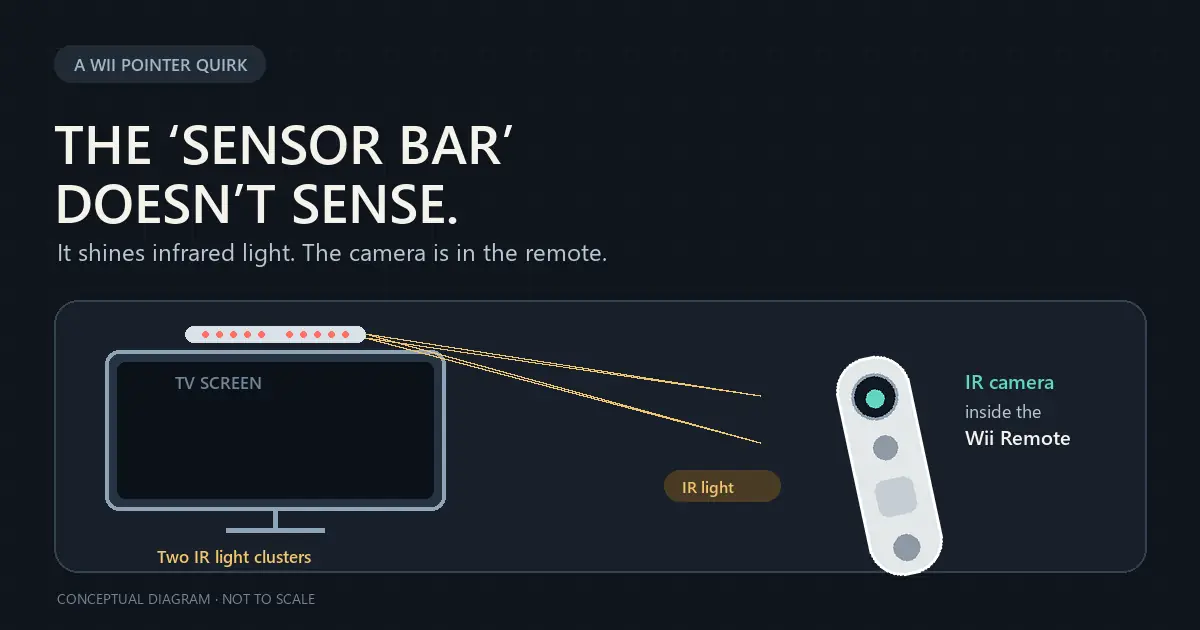 Conceptual diagram; not to scale. The name makes it sound like the TV is watching your hand. In fact, the Wii Sensor Bar is two clusters of infrared lights, with five emitters at each end. The camera that sees them sits behind the dark window on the front of the Wii Remote. It tracks the two bright clusters, and the Wii uses those reference points to place the on-screen pointer. Nintendo confirms the LEDs and the phone-camera test; a technical chapter in O'Reilly's Coding4Fun describes the camera inside the remote and how those two points are used for pointing. That setup explains a few Wii quirks. The remote needs a clear view of the bar. Nintendo's [troubleshooting guide](https://en-americas-support.nintendo.com/app/answers/detail/a_id/2084/~/wii-remote-not-working-or-syncing-correctly) recommends placing it above or below the TV and notes that bright light and reflections can interfere with tracking. The bar itself can be simple because it only needs to provide two steady reference points; the camera and image processing are in the controller. You can see the trick yourself: point a phone camera at the powered bar. Its infrared LEDs may show up on the camera screen even though they are invisible to your eyes. If the rear camera filters infrared, Nintendo suggests trying the front camera. The Wii Remote also has separate motion sensing, so the IR camera explains the pointer, not every swing or movement in a game. [Nintendo's sensor bar test](https://en-americas-support.nintendo.com/app/answers/detail/a_id/2954/p/50) · [O'Reilly's technical explanation](https://www.oreilly.com/library/view/coding4fun/9780596155124/ch09s03.html) ~gaming ~nintendo