Fedora 45 for gaming: what changes under the hood, and should you upgrade?
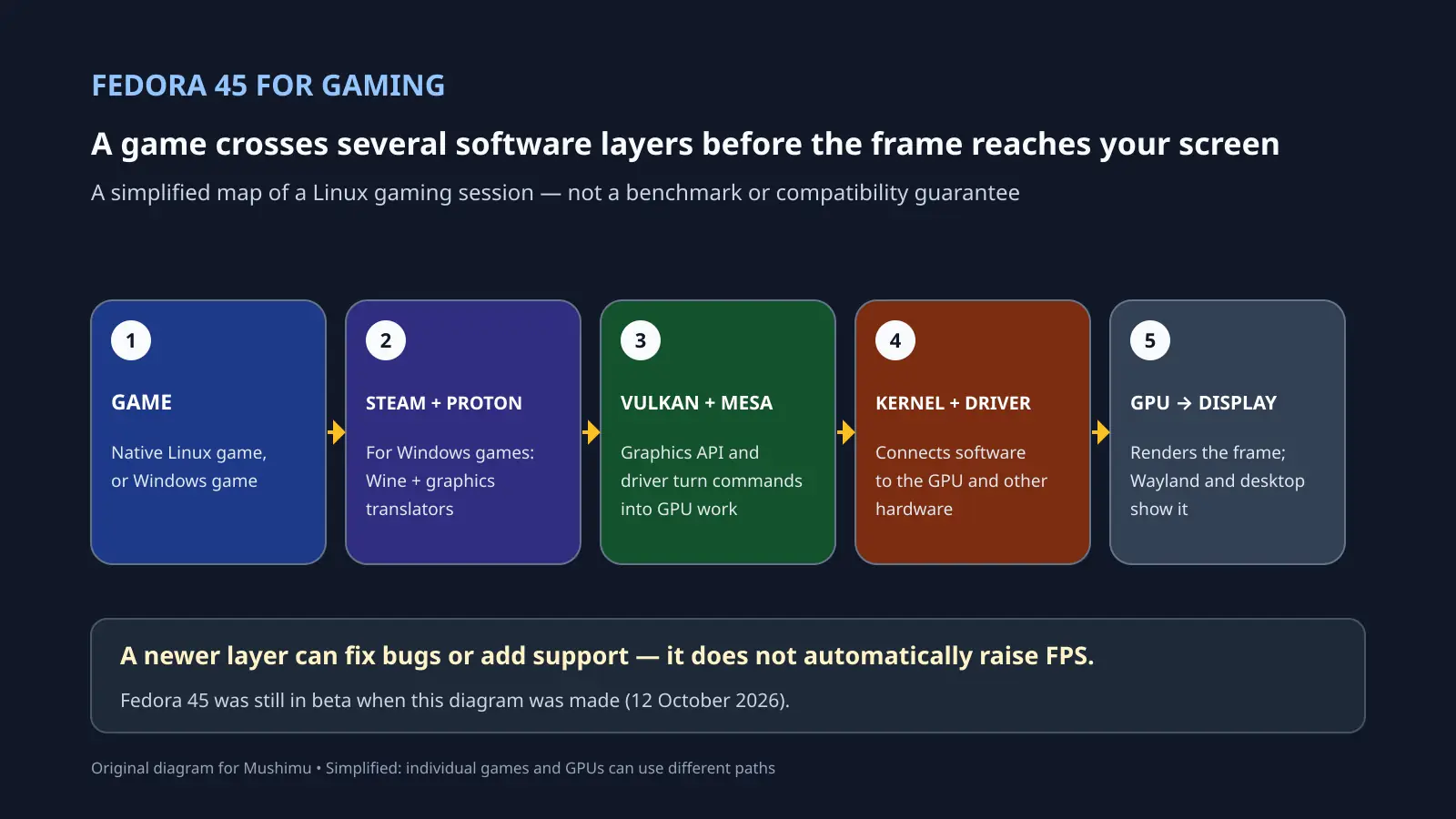
Fedora 45 is still a beta as of 12 October 2026. The Fedora Project currently lists 20 October as its target for the final release, but that date can move. For gamers, the useful question is not whether a new Fedora number automatically adds frames per second; it is which parts of the Linux gaming stack are changing, and whether those changes help a particular game and GPU. [Fedora’s beta announcement](https://fedoramagazine.org/announcing-fedora-linux-45-beta/) and [current Fedora 45 release status](https://fedoraproject.org/wiki/Design_Suite/Fedora_45) describe what is available and what remains subject to change. ## What happens when a game launches? A native Linux game can use Linux graphics interfaces directly. For a Windows game running through Steam, [Proton](https://github.com/ValveSoftware/Proton) provides a compatibility layer built on Wine and other components. Tools such as DXVK and VKD3D-Proton translate Direct3D graphics calls into Vulkan commands. On many AMD and Intel systems, Mesa supplies the open-source graphics drivers that handle those Vulkan or OpenGL commands; the Linux kernel driver then communicates with the GPU. The desktop session sits alongside this path: GNOME and its Wayland compositor handle windows, display and input. The exact route varies with the game and graphics hardware, and NVIDIA’s proprietary driver follows a different graphics stack. That is why “Linux gaming compatibility” is not one switch. Proton can translate many Windows interfaces, but it cannot make every game work. A problem in a game’s Windows compatibility path is different from a graphics-driver bug, and both are different from a desktop bug that stops Steam accepting clicks. ## What Fedora 45 changes for that stack The Fedora 45 Workstation beta uses GNOME 51. Fedora’s package tracker currently lists Mesa 26.2.3 as the Fedora 45 stable build, and Linux kernel 7.2.9-300 as stable, with 7.2.9-301 in testing. Those are a snapshot of the beta repositories, not a promise of the final launch versions. The Fedora 44 kernel tracker also lists a stable 7.2.9 build, so the kernel version alone is not a Fedora 45-exclusive leap. A newer Mesa point release may include driver fixes or hardware support, but a version number by itself does not tell you whether your games will run faster. [Phoronix’s Fedora 44 versus Fedora 45 beta comparison](https://www.phoronix.com/review/fedora-45-beta-benchmarks) helps put performance claims in perspective. Its September 23 software snapshot used the same Linux 7.2 kernel, Mesa 26.2 and GCC 16.2.1 on both releases, on one high-end AMD workstation. The author found no broad system-performance shift, though some individual workloads changed. These were not game benchmarks, and the hardware was neither a gaming handheld nor a typical gaming laptop, so the results cannot predict frame rates for every setup. They do show why “Fedora 45 means more FPS” is too strong a conclusion. ## A beta bug can be in the desktop, not the GPU During the early beta, Fedora users reported that Steam and other XWayland windows stopped accepting mouse clicks under a GNOME 51 release candidate. In the [Fedora discussion thread](https://discussion.fedoraproject.org/t/fedora-45-beta-issue-with-steam/202218), users later reported that updating to Mutter 51.0 fixed the problem. That was a beta regression with a reported fix, not evidence that the current beta still has the issue. It is a useful example of why a broken Steam window does not automatically mean Proton or the graphics driver is at fault. ## Should a gamer upgrade now? If this is your main gaming PC, wait for Fedora 45 to reach its final release and check the final package versions and your GPU’s driver support. If you want to test the beta, use a spare drive or a setup you can roll back; keep in mind that package versions and behavior can still change before release. Fedora Workstation is a general-purpose desktop rather than a handheld-specific gaming image. For a handheld-first Linux setup, see [Mushimu’s Bazzite guide](https://www.mushimu.com/post/8728). The diagram is an original, simplified illustration of the software path; individual games and GPUs can use different components. ~Gaming